
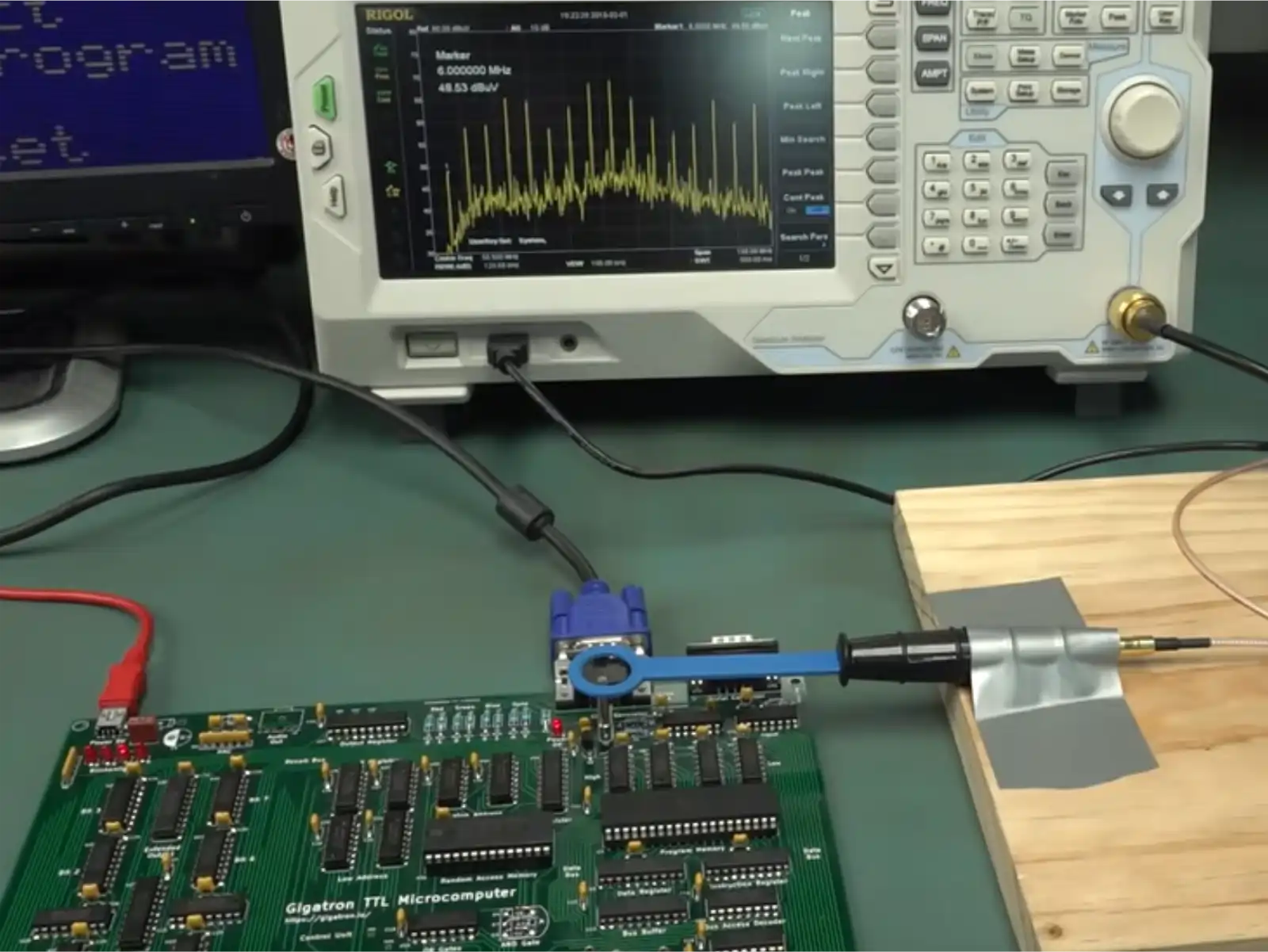
PCB debugging is a critical skill for any hardware engineer working with industrial electronics. Whether you're troubleshooting a manufacturing defect, diagnosing a field failure, or validating a new design, systematic debugging approaches save time and prevent further damage to expensive boards.
In this comprehensive guide, we'll walk through professional PCB debugging techniques used in industrial environments, covering everything from visual inspection to advanced signal analysis.
Common PCB Issues in Industrial Environments
Industrial PCBs face unique challenges compared to consumer electronics. Extended temperature ranges, vibration, moisture, and electromagnetic interference create failure modes you won't encounter in typical consumer devices.
The most common issues we encounter include:
- Short circuits - Often caused by solder bridges, contamination, or component failures
- Open connections - Cold solder joints, cracked traces, or lifted pads
- Component failures - Overstress, aging, or manufacturing defects
- Signal integrity problems - Reflections, crosstalk, or timing violations
- Power supply issues - Inadequate decoupling, voltage drops, or regulation failures
Pro Tip
Always check power rails first before investigating other issues. Many mysterious failures trace back to power supply problems that cascade through the entire system.
Essential Debugging Tools
Having the right tools makes all the difference. Here's what every industrial PCB debugging workstation should have:
1. Digital Multimeter (DMM)
Your first line of defense. A quality DMM is essential for basic continuity checks, voltage measurements, and resistance testing. For industrial work, invest in a meter with:
- True RMS measurement capability
- High input impedance (>10MΩ)
- CAT III or CAT IV safety rating
- 0.1% accuracy or better
2. Oscilloscope
Critical for signal analysis and timing measurements. Modern digital oscilloscopes offer features impossible with older analog scopes:
- Multiple channels (4+ for industrial debugging)
- Sufficient bandwidth (100MHz minimum for most industrial applications)
- Deep memory (essential for capturing long events)
- Protocol analysis (I2C, SPI, CAN, etc.)
- Math functions and FFT analysis
Safety Warning
When working with industrial equipment, always verify that your oscilloscope and probes are rated for the voltages present in your system. Standard 10:1 probes are typically rated for 300V CAT II maximum.
3. Logic Analyzer
When debugging digital communication protocols or complex timing relationships, a logic analyzer is indispensable. Unlike an oscilloscope which shows analog waveforms, logic analyzers excel at:
- Capturing many signals simultaneously (8, 16, or more channels)
- Protocol decoding (UART, I2C, SPI, CAN, etc.)
- Timing analysis between multiple signals
- State machine debugging
Systematic Debugging Process
A methodical approach prevents wasted time and reduces the risk of causing additional damage. Here's our proven step-by-step process:
Step 1: Visual Inspection
Never skip this step. Many issues are visible to the naked eye or under magnification:
- Check for obvious physical damage (cracks, burns, discoloration)
- Inspect solder joints under magnification for cold joints or bridges
- Look for lifted or tombstoned components
- Examine traces for breaks or damage
- Check connector pins for corrosion or damage
Step 2: Power Supply Verification
Before powering the board, verify:
- Input voltage - Correct polarity and voltage level
- Short circuits - Measure resistance between power and ground (should be >1kΩ typically)
- Current limit - Set current limit on power supply to safe level (prevents damage if there's a fault)
After applying power:
- Monitor supply current (unusual current draw indicates problems)
- Verify all voltage rails with DMM
- Check for voltage ripple with oscilloscope
- Verify power sequencing if multiple rails are present
Quick Check
Touch voltage regulators lightly after 30 seconds of operation. They should be warm but not too hot to touch. Excessive heat indicates a problem.
Step 3: Component-Level Testing
With power verified, systematically test critical components:
- Microcontrollers/Processors - Verify clock signals, reset behavior, and basic communication
- Voltage Regulators - Check input, output, and enable signals
- Communication Interfaces - Probe with oscilloscope or logic analyzer
- Sensors - Verify output signals are within expected ranges
Step 4: Signal Tracing
Follow signal paths through the circuit:
- Start at the source (microcontroller pin, oscillator, etc.)
- Verify signal quality at each stage
- Look for signal degradation, reflections, or unexpected behavior
- Check termination resistors and series resistors
- Verify pull-up/pull-down resistors are correct values
import pyvisa

# Connect to multimeter
rm = pyvisa.ResourceManager()
dmm = rm.open_resource('USB0::0x1234::0x5678::INSTR')

# Define expected voltages with tolerances
rails = {
    '3.3V': (3.3, 0.1),    # Expected: 3.3V ± 0.1V
    '5V':   (5.0, 0.2),     # Expected: 5.0V ± 0.2V
    '12V':  (12.0, 0.5)     # Expected: 12.0V ± 0.5V
}

print("Testing power rails...")
for rail, (expected, tolerance) in rails.items():
    voltage = float(dmm.query('MEASURE:VOLTAGE:DC?'))
    status = "PASS" if abs(voltage - expected) <= tolerance else "FAIL"
    print(f"{rail}: {voltage:.3f}V [{status}]")
Real-World Case Study
Let's examine a real debugging scenario from our recent industrial automation project:
The Problem
A batch of motor controller boards exhibited intermittent communication failures after 24-48 hours of operation. The boards would stop responding to CAN bus commands, requiring a power cycle to restore function.
Initial Investigation
Visual inspection revealed no obvious issues. Power supply measurements were within spec. The problem only occurred after extended operation, suggesting a thermal or timing-related issue.
The Discovery
Using a logic analyzer to capture CAN bus traffic over several hours, we noticed occasional bit errors appearing after approximately 36 hours of continuous operation. The errors correlated with thermal cycling as the board warmed up and cooled down.
Root Cause
Further investigation revealed that the CAN transceiver's termination resistor (120Ω) had the wrong temperature coefficient. As the board temperature fluctuated, the resistance value changed enough to cause impedance mismatches and bit errors.
The Fix
Replacing the standard thick-film resistor with a precision metal-film resistor with low temperature coefficient resolved the issue completely.
Lesson Learned
In industrial applications, component tolerance and temperature stability matter more than in consumer electronics. Always specify precision components for critical signal paths.
Best Practices & Tips
After years of debugging industrial PCBs, here are our most valuable lessons:
- Document everything - Take photos, write notes, save scope screenshots. Future-you will thank present-you.
- Change one thing at a time - Resist the temptation to modify multiple things simultaneously.
- Keep a lab notebook - Track what you've tested, what worked, and what didn't.
- Use the schematic - Don't rely on memory. Always refer to the actual schematic.
- Verify assumptions - Just because the datasheet says something doesn't mean it's true for your specific part or board.
- Consider environmental factors - Temperature, humidity, vibration, and EMI all affect circuit behavior.
- Know when to ask for help - Fresh eyes often spot issues you've been staring at for hours.
Conclusion
Systematic PCB debugging is both an art and a science. While experience and intuition play a role, following a methodical approach consistently yields better results than random probing.
Start with visual inspection, verify power supplies, test critical components, and trace signals systematically. Use the right tools for the job, document your findings, and don't skip steps even when you're confident you know the problem.
Most importantly, remember that every debugging session is a learning opportunity. The patterns you discover while troubleshooting one board will help you design better boards in the future.